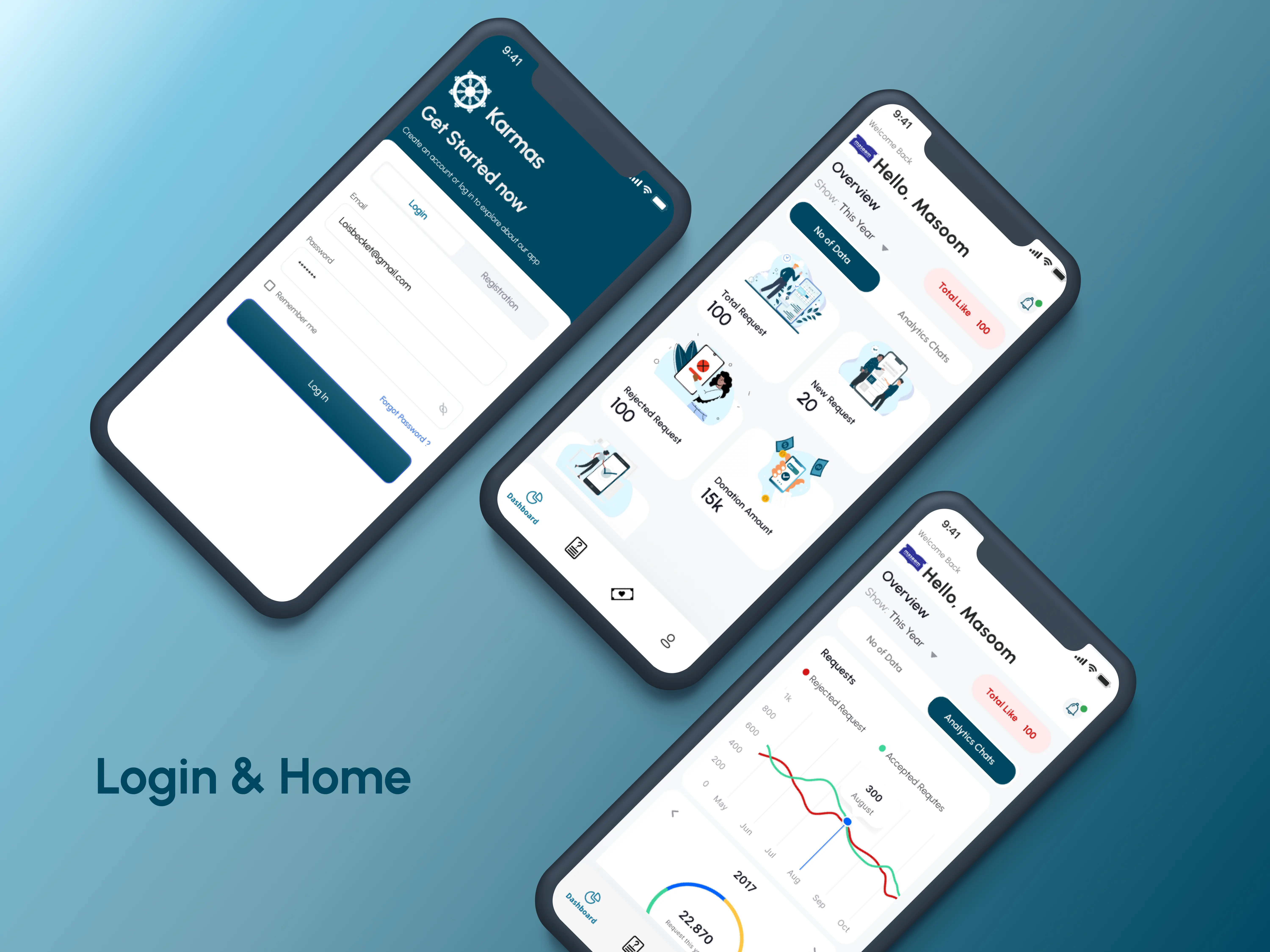
Dashboard Overview
Features
- Total Requests: Displays the cumulative number of requests
received by the NGO.
- New Requests: Highlights recently submitted requests
requiring attention.
- Rejected Requests: Tracks requests that were not
approved.
- Accepted Requests: Lists successfully approved and processed
requests.
- Donation Amount: Shows the total funds received through the
platform.
- Total Likes: Reflects user engagement and support for the
NGO.
NGO Registration
- Easy Onboarding: NGOs can create an account and register by
uploading:
- NGO Logo: For branding and identification..
- PAN Card: For verification purposes.
- Unique Id of VO/NGO
DARPAN Reg.
Date Type of NGO *
Registration No *
City of Registration *
State of Registration *
Date of Registration (Society / Trust /Entity) *
Address
City *
State *
Telephone
Mobile No *
E-mail *
Website Url
- Quick Submission: Streamlined form submission to join the
Karmas platform.
User-Friendly Interface
Clean and visually appealing design with
- Tabs for easy navigation between sections.
- Prominent buttons for login, registration, and data uploads.
- Mobile-Friendly Design: Optimized for quick access and
usability on mobile devices.
Integration with Karmas Main Platform
Seamless Connection NGOs can connect with the main Karmas application to :
- Manage incoming requests.
- Track donations and engagement metrics.
- Respond to user inquiries efficiently.
Secure Access
- Login System: Ensures secure access to the NGO dashboard and
data.
- Forgot Password Option: Simplifies account recovery.
Benefits for NGOs
Centralized Management: Provides a single platform to manage requests, donations, and user interactions.
Enhanced Visibility: Showcases NGO activities and encourages user engagement through likes and support
metrics.
Efficient Collaboration: Facilitates a strong connection with the Karmas main platform, ensuring
alignment with broader community goals.
Transparency: Promotes accountability by providing clear statistics on requests and donations.
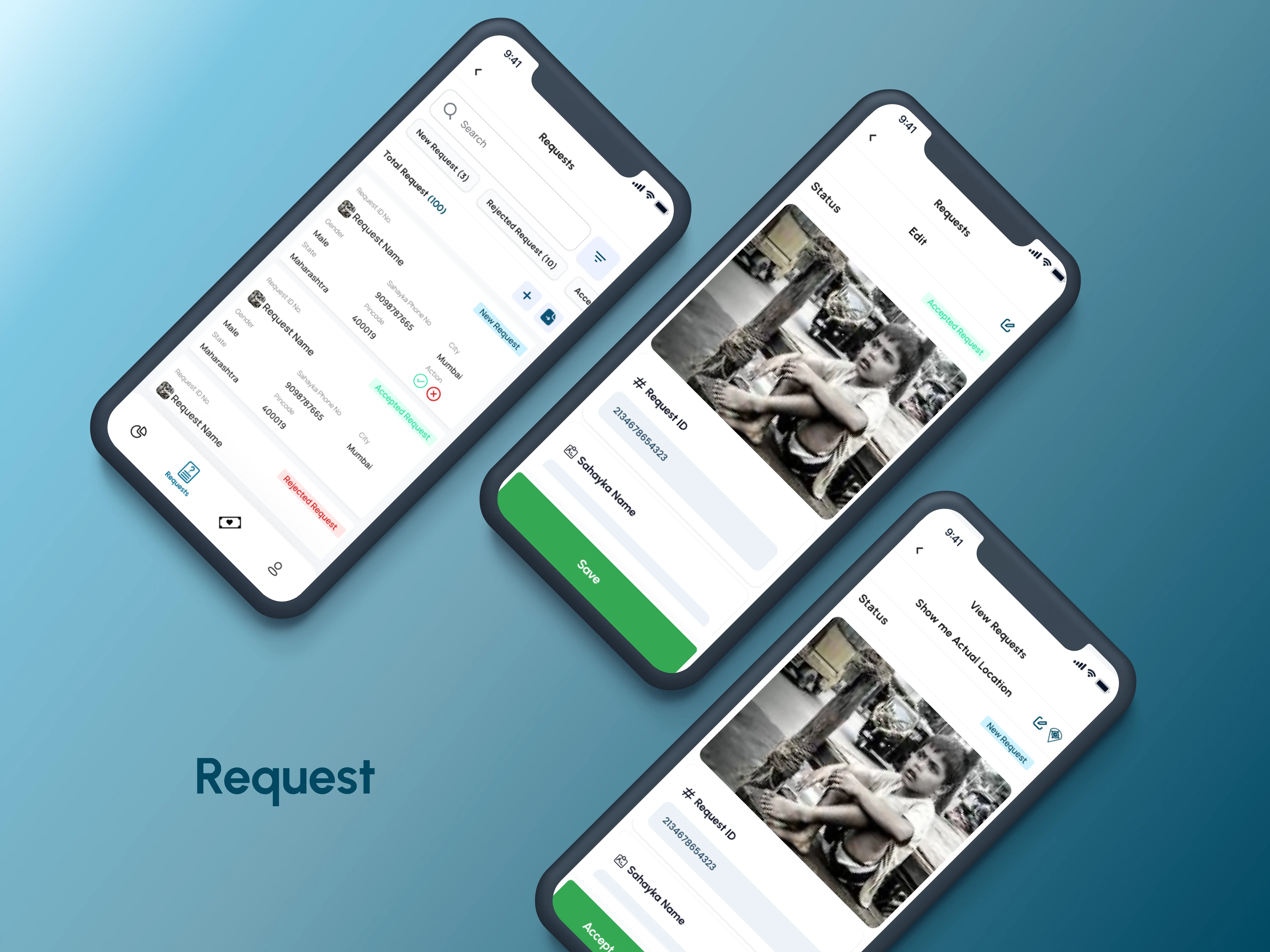
Requests Module Overview
Features
- View Incoming Requests
NGOs can see all requests submitted through the Karmas application in an organized manner.
- Each request contains detailed user information,
including:
- Request ID
- Sahayak Name and Phone Number
- Gender, Location, and City
- Status of the Request
Manage Requests
- Accept Requests: NGOs can approve requests that meet the
necessary criteria.
- Reject Requests with a Reason: If a request does not
qualify, NGOs can reject it while providing a valid reason, ensuring transparency.
- PAN Card: For verification purposes.
Tabs for Request Filtering
- New Requests: View newly submitted requests awaiting
action.
- Rejected Requests: Track previously rejected requests and
their reasons.
- Accepted Requests: Monitor requests that have been
successfully approved.
Actionable Insights
Requests are presented with visual clarity, showcasing:
- A status badge (e.g., Accepted or Rejected).
- Request details and location data.
- A "Show Actual Location" feature allows NGOs to identify
the precise location of the Request.
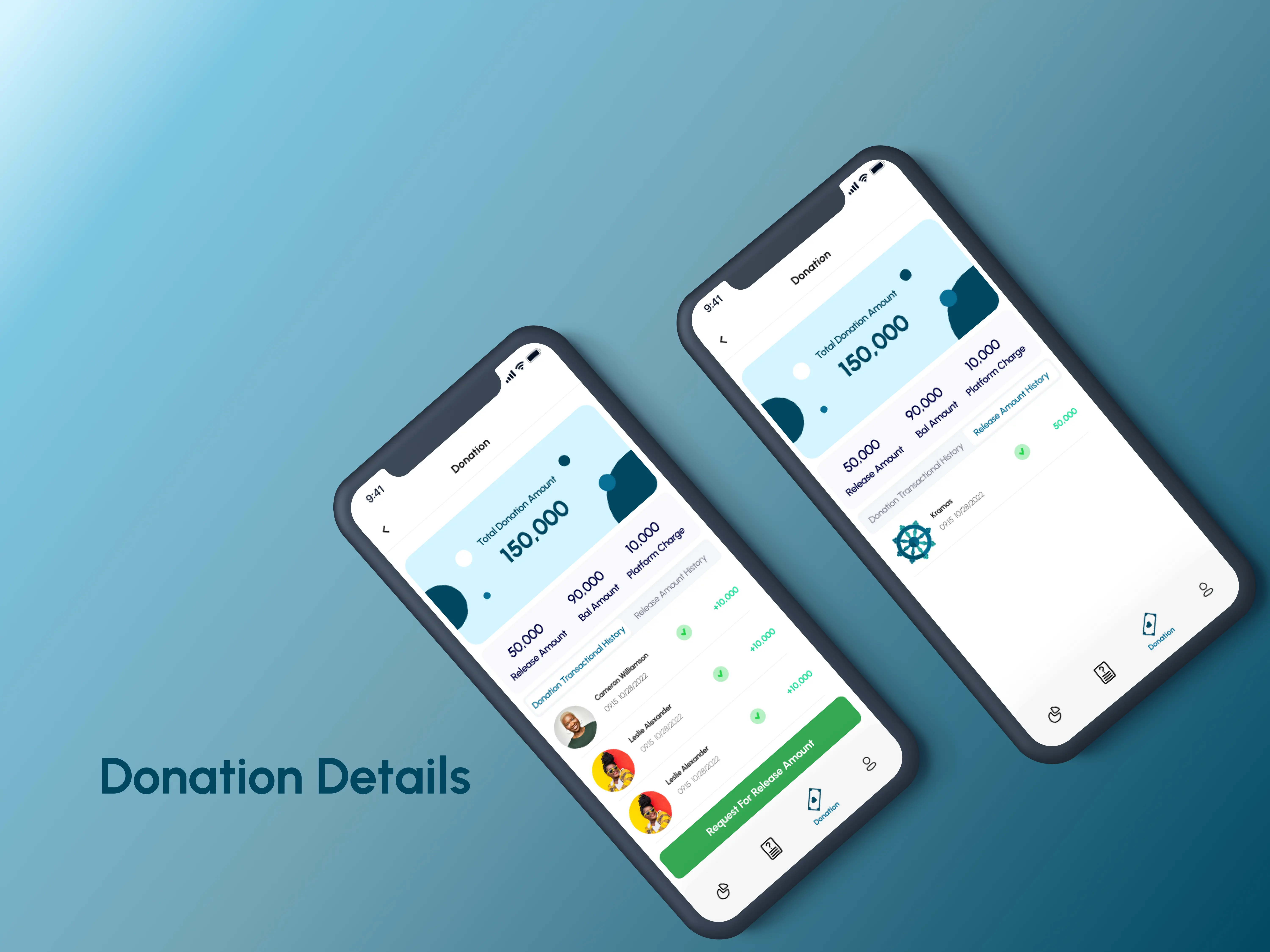
Total Donation Overview
Features
- Total Donation Amount: Displays the cumulative amount
donated to the NGO.
- Breakdown of Funds:
Released Amount: Funds approved and transferred to the NGO.
Held Amount: Funds currently withheld due to pending processes or review.
Platform Charges: Details about the charges deducted by the Karmas platform.
Donation Transaction History
A detailed view of individual donations received, including:
- Donor Name and Contact Details.
- Date of Donation.
- Amount Donated (with positive increments clearly
indicated).
- A scrollable list to track all donation-related
activities..
Release Request Functionality
- Requests are sent directly to the Karmas platform for
approval.
- NGOs can monitor the status of their requests in
real-time.
- Ensures that only eligible funds are available for
release.
- Automatically calculates and deducts any pending charges
or withheld amounts.
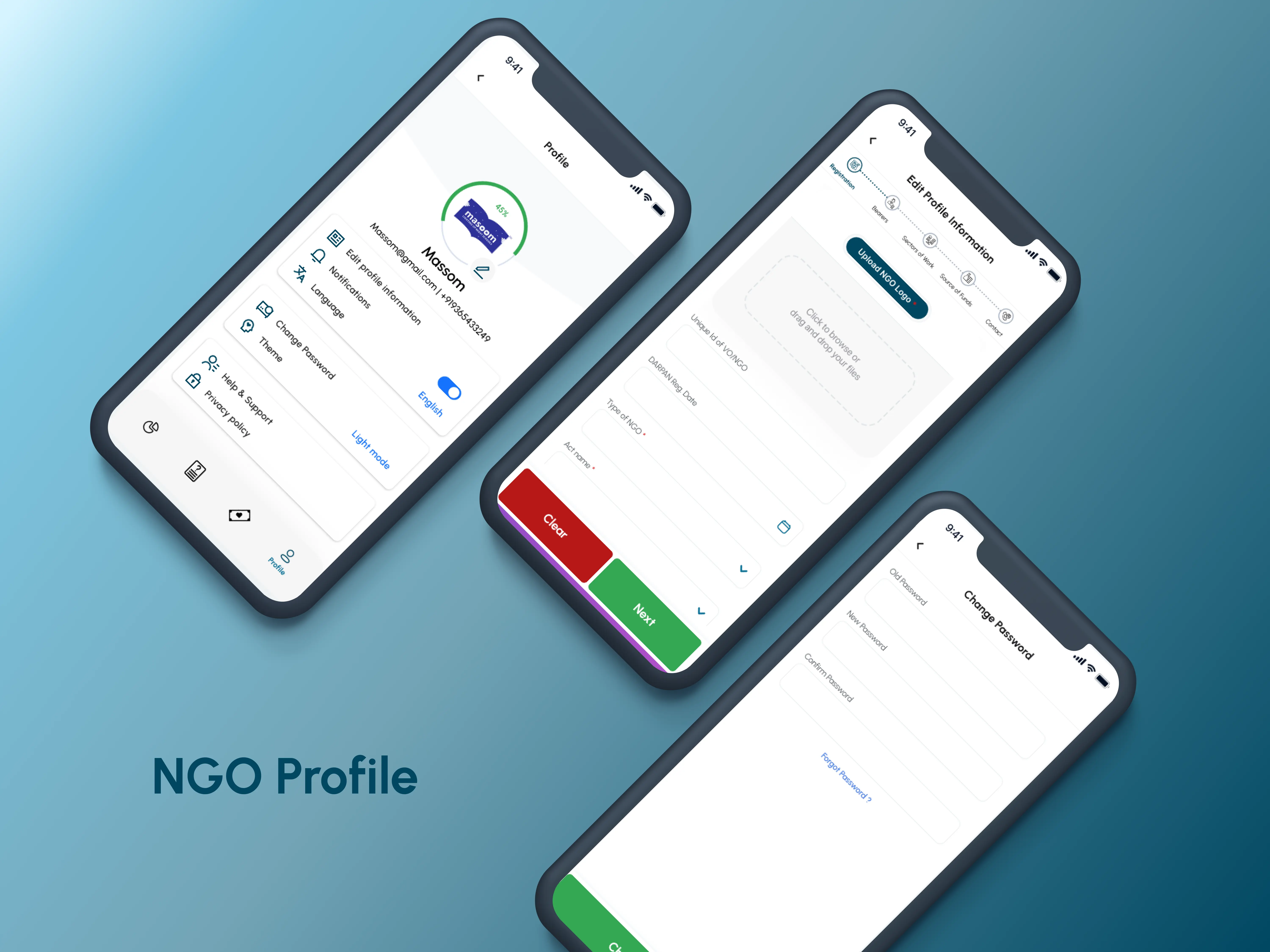
Profile Management Overview
Features
- Displays NGO details such as name, email, and contact number.
- Provides a visual progress bar to indicate the completeness
of the NGO profile.
Edit Profile Information
Easy access to update essential NGO details:
- Unique ID of VONGO.
- DARPAN Registration Date.
- Type of NGO.
- Act Name and Source of Funds.
- and Etc.
- Upload functionality for NGO logo and other important
documents.
Change Password:
Update account credentials securely by entering:
- Old password.
- New password.
- Confirmation of the new password.
- Includes a "Forgot Password" option for quick recovery.